
Make Every Ride Count. Instantly.
Stop guessing and start earning. Cherryfy gives you instant, color-coded analysis of every Uber and Lyft offer, so you only take the rides that pay.
Everything you need to maximize earnings
Cherryfy is packed with powerful features designed to put you in control of your income.
Cherryfy automatically detects and reads Uber and Lyft trip offers using Android Accessibility services.
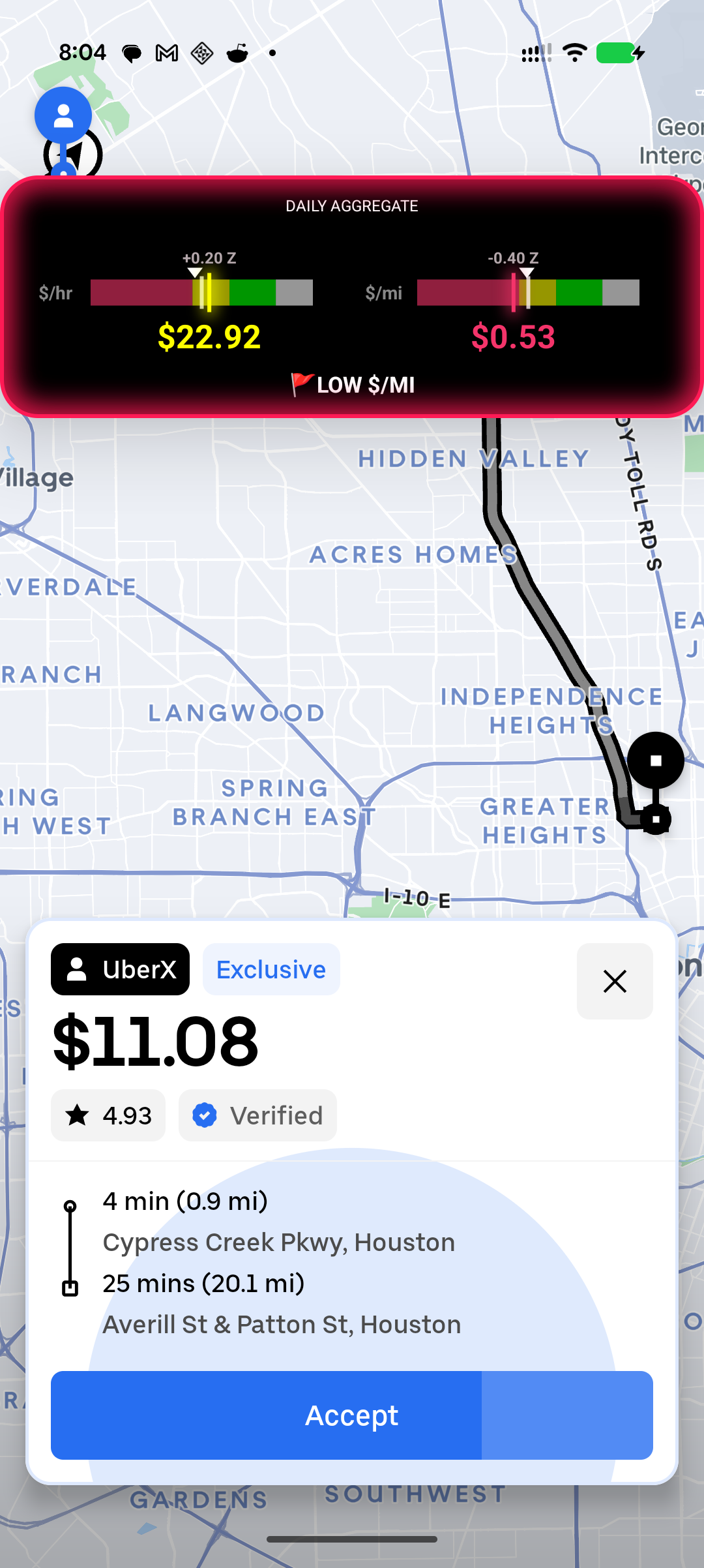
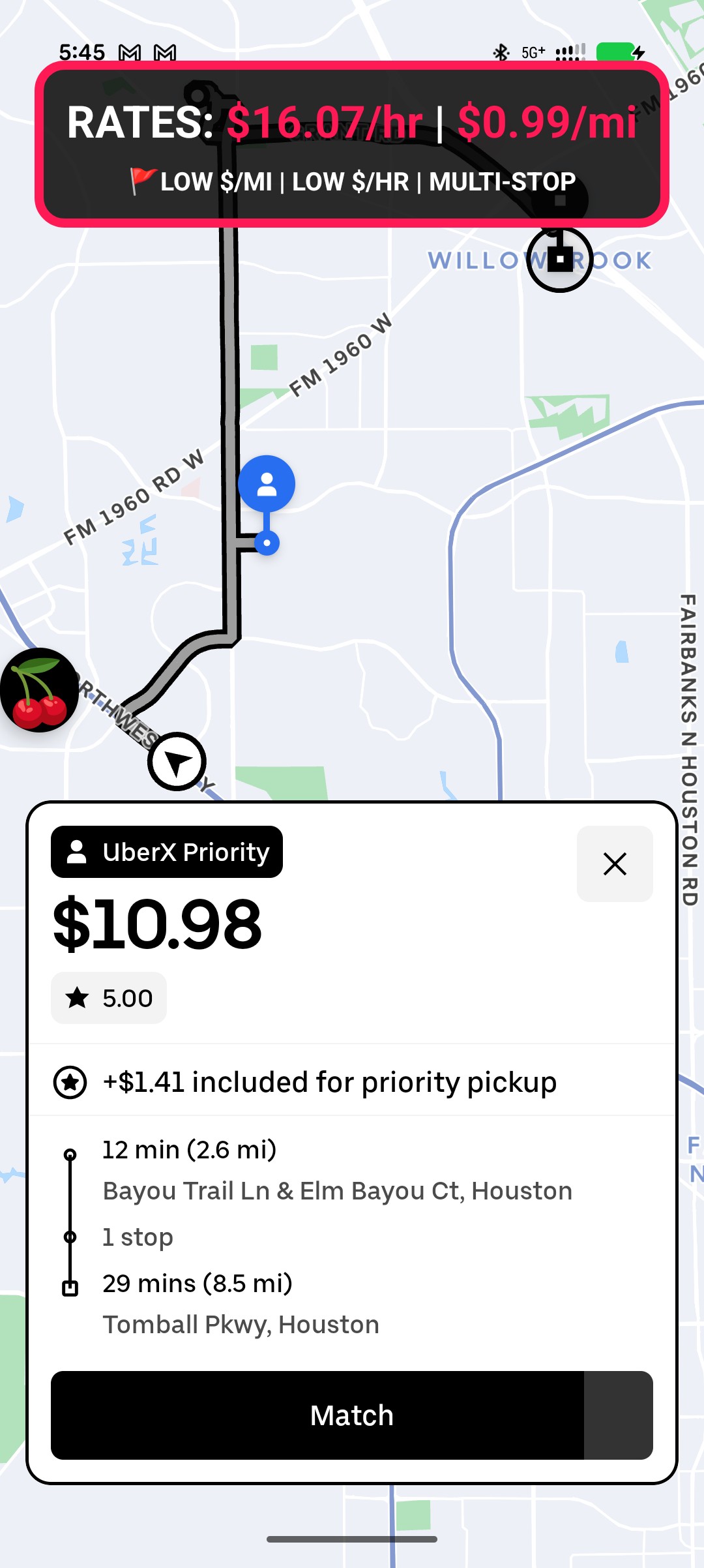
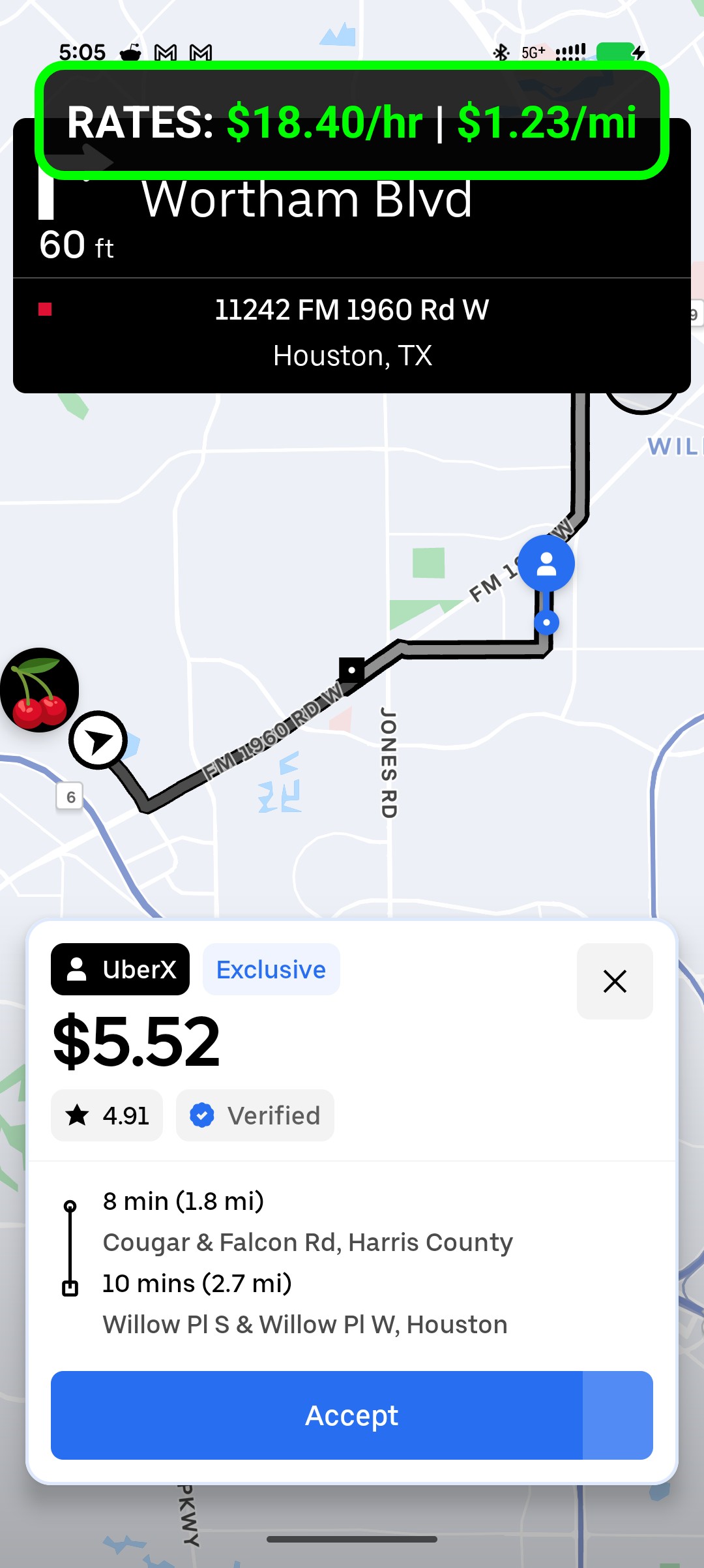
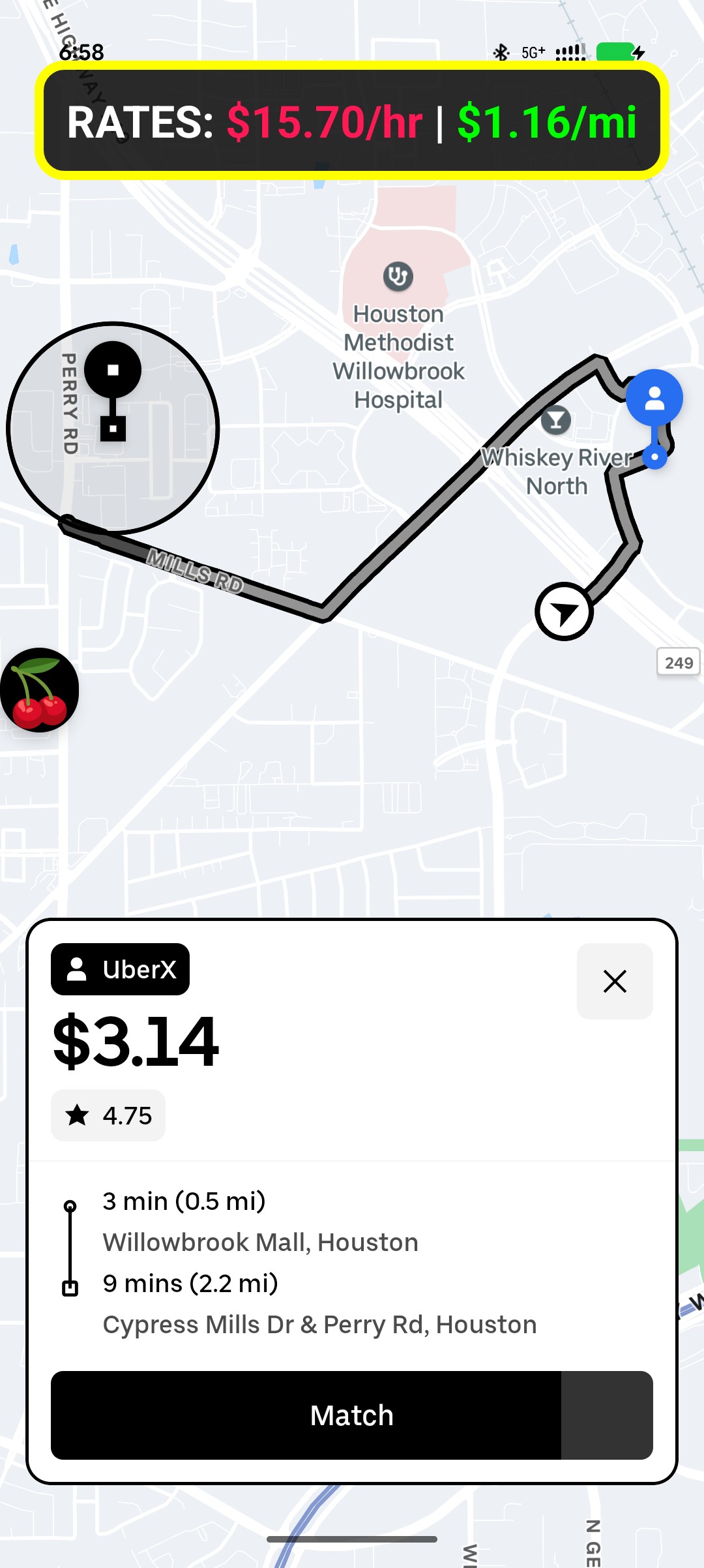
Instantly know if a ride is worth your time and fuel before you accept.
Define what a "good" ride means to you. Set your own minimums for $/mile, $/hour, and more.
Keep a secure record of all offers for auditing, analysis, and dispute resolution.
Set custom thresholds to automatically highlight or ignore offers based on your criteria.
Leverage offers received by the local community of drivers to see what targets to shoot for.
Choose your view: switch between a data-rich banner or a minimal look showing only the numbers that matter.
Never guess again. Each red indicator tells you exactly why the offer is not good.
Cherryfy automatically detects and reads Uber and Lyft trip offers using Android Accessibility services.
Instantly know if a ride is worth your time and fuel before you accept.
Define what a "good" ride means to you. Set your own minimums for $/mile, $/hour, and more.
Keep a secure record of all offers for auditing, analysis, and dispute resolution.
Set custom thresholds to automatically highlight or ignore offers based on your criteria.
Leverage offers received by the local community of drivers to see what targets to shoot for.
Choose your view: switch between a data-rich banner or a minimal look showing only the numbers that matter.
Never guess again. Each red indicator tells you exactly why the offer is not good.
Cherryfy automatically detects and reads Uber and Lyft trip offers using Android Accessibility services.
Instantly know if a ride is worth your time and fuel before you accept.
Define what a "good" ride means to you. Set your own minimums for $/mile, $/hour, and more.
Keep a secure record of all offers for auditing, analysis, and dispute resolution.
Set custom thresholds to automatically highlight or ignore offers based on your criteria.
Leverage offers received by the local community of drivers to see what targets to shoot for.
Choose your view: switch between a data-rich banner or a minimal look showing only the numbers that matter.
Never guess again. Each red indicator tells you exactly why the offer is not good.
Simple Steps
How It Works
Get up and running in minutes. Cherryfy integrates seamlessly into your driving routine.
Get Cherryfy from the Google Play Store on your Android device.
Set your minimum target $/hour, $/mile, and custom limits.
Enable the Accessibility Service so Cherryfy can read incoming ride details.
Start your shift in Uber or Lyft normally and let Cherryfy run in the background.
See color-coded overlays showing exact profitability info instantly.
Tap with confidence knowing the true value of every single trip.
Get Cherryfy from the Google Play Store on your Android device.
Set your minimum target $/hour, $/mile, and custom limits.
Enable the Accessibility Service so Cherryfy can read incoming ride details.
Start your shift in Uber or Lyft normally and let Cherryfy run in the background.
See color-coded overlays showing exact profitability info instantly.
Tap with confidence knowing the true value of every single trip.
Get Cherryfy from the Google Play Store on your Android device.
Set your minimum target $/hour, $/mile, and custom limits.
Enable the Accessibility Service so Cherryfy can read incoming ride details.
Start your shift in Uber or Lyft normally and let Cherryfy run in the background.
See color-coded overlays showing exact profitability info instantly.
Tap with confidence knowing the true value of every single trip.
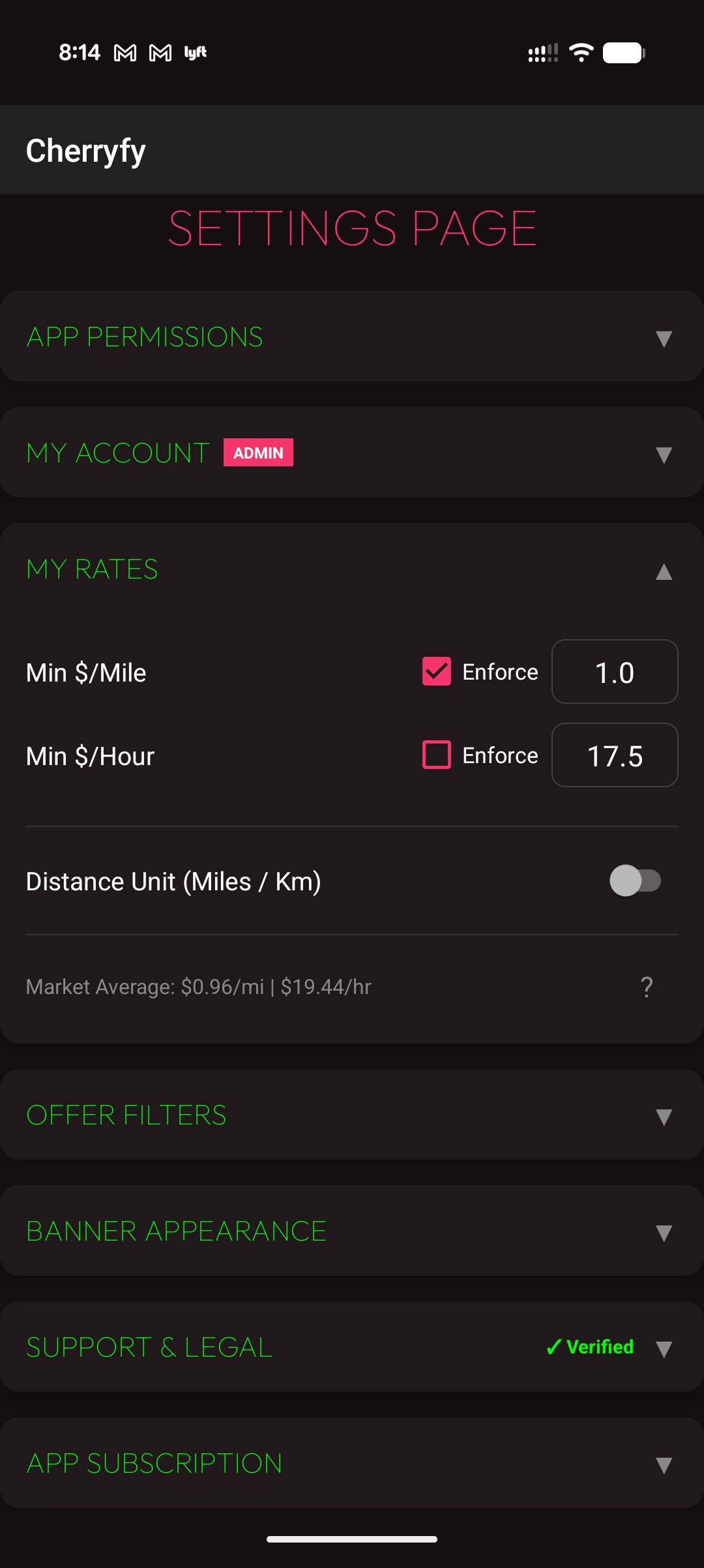
Configure Rates & Target Pay
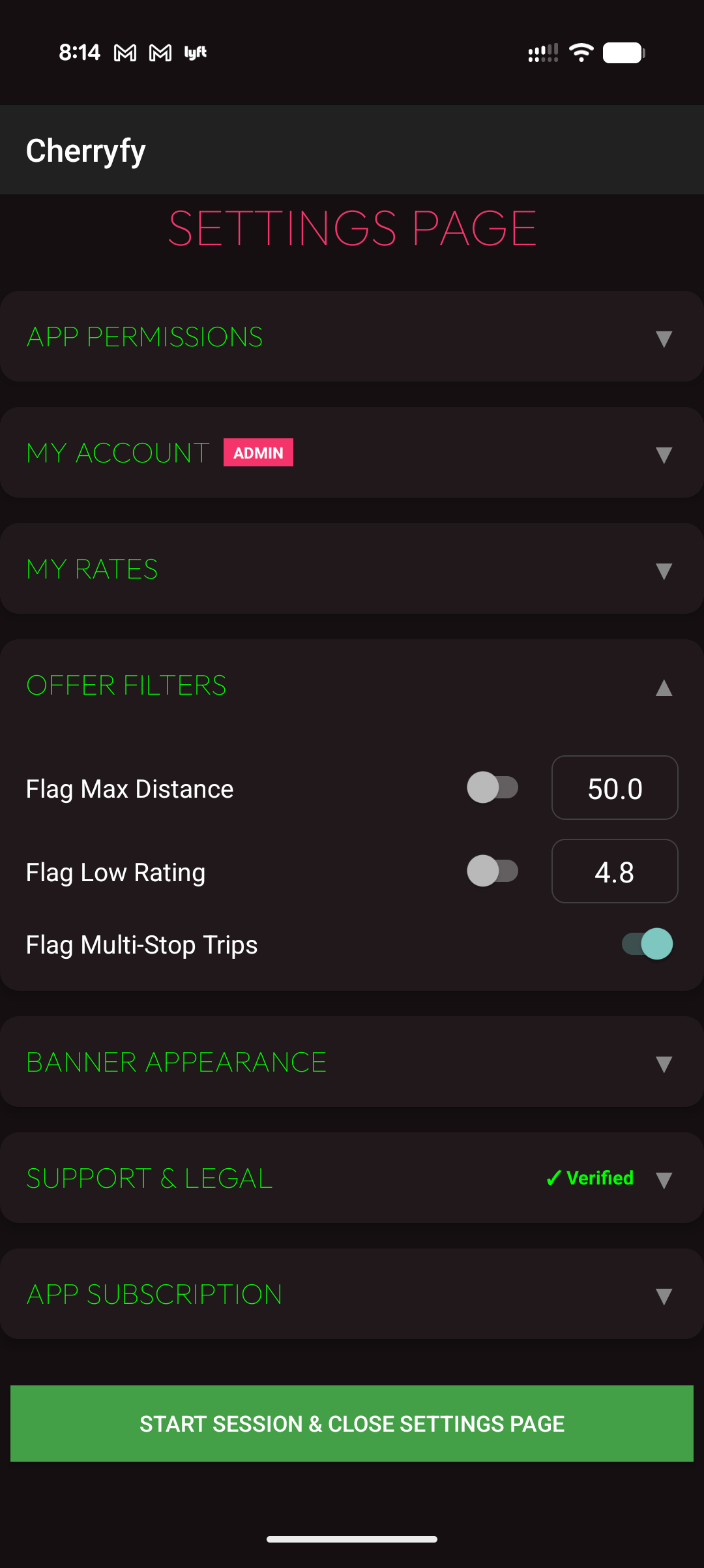
Create Custom Ride Filters
Compatible with all Android devices running Android 8.0 and above.